Guides / Connect and more
Download a video from a link
Paste links, watch the progress and save MP4 or MP3, from 360p to 4K.
- 1
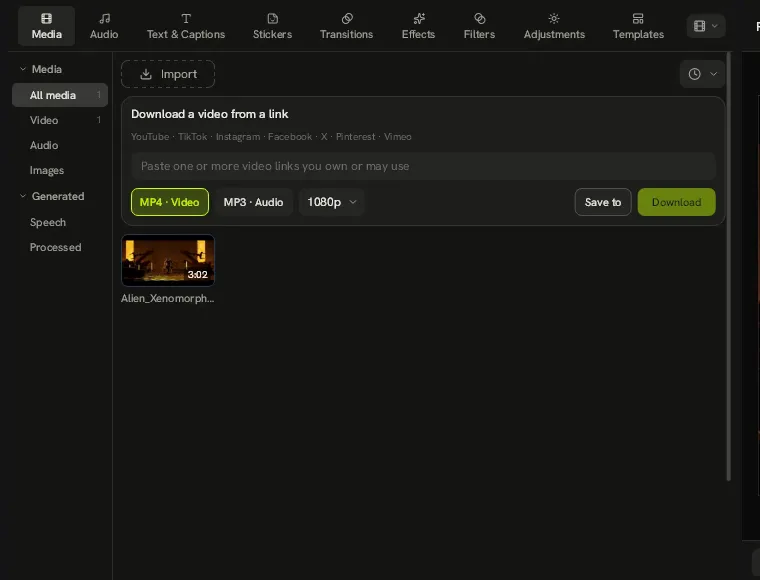
Open the Media tab
The link downloader is there.
- 2
Paste one or several links
Choose MP4 or MP3 and the quality, from 360p to 4K.
- 3
Click Download
Watch the progress. The file is ready for your project.
TipOnly for content you own or may use.